Layer5: Landscape Spectrums Revisited

Several weeks ago, I wrote a blog post about introducing “comparative spectrum” tools to the Layer5 landscape—a webpage which I have transformed multiple times, now!

Up until now, the contents of each blog post I have written were centered upon a freshly-opened pull request. Shortly before writing my last post, I did open one such pull request (layer5#238). However, since my PR remains open, and since I am still working on the same issue my PR addresses, I have opted to instead push a new commit to the aformentioned (but, now, renamed) PR instead of creating a whole new one. This newest commit introduces a major step towards resolving the issue at hand, and will be the subject of this blog post!

The issue at hand: layer5#211 – add comparative spectrums to the Landscape page

Note: this blog post will frequently reference the update and documentation comment that I made to accompany my last commit to my PR. I consider this hefty comment to be an extension of this blog post, so I strongly recommend giving it a read!


My initial commit towards introducing comparative spectrum tooling did not represent a full solution. Thinking about what might constitute a full solution for the issue at hand, I came up with three criteria:

What was still needed:

1. A complete toolset

Within Issue #211, Layer5 lead developer Lee indicates four slides upon which comparative spectrum graphics may be based upon. During my initial commit, I created graphics that emulated those found within the first three of those four slides, but I had yet to implement the graphic found in the fourth: a table. I was also less-than-satisfied with the ‘grid’ design I had implemented in response to slide 7.

2. A modular design

The designs I am implementing are meant to be used to present opinionated information. As I am not nearly knowledgeable to form opinionated comparisons between service meshes and related technologies, I have instead made my goal to make it as easy as possible for other Layer5 contributors to utilize the graphics (“[comparative] spectrums”) that I am designing. Doing so would require encapsulating (templating) the spectrums I design (new and old), within their own HTML files, and providing a means to easily invoke (and customize) instances of those templates into the Landscape page.

3. Documentation

Because the templates I design are intended to be implemented and customized by other contributors, it is especially critical that those contributors have access to complete and thorough documentation detailing the intended use of each templated design.


What I delivered:

1. A complete toolset

As documented in my update comment, I designed a table that very closely resembles that of Lee’s slides. Implementing the table was interesting, as it ended up requiring quite a few nested Liquid for-loops. Also as documented, I revamped the grid-based tooling and am quite pleased with the improvements made. The end result of these efforts is a complete set of comparative spectrums.

2, 3. A modular design and documentation

The bulk of the documentation I wrote details how to deal with the modular solution that I designed and implemented to enable comparative spectrums to be included into the Landscape page (through the use of Liquid include tags). The documentation speaks for itself; check it out!

What’s next?

I would not have considered the documentation I delivered to be complete if I did not report on the issues still present in the work I delivered. I denoted these as ‘Current issues’ in the documentation, and they represent work that still remains to be done. I know that I can count on the Layer5 community to assist me with small issues like these, and, once this pull request receives some forward motion, I hope to start zeroing in on its smaller issues. Fortunately, I have made plans to continue working with open source well into the new year!

Introducing Comparative Spectrums to the Layer5 Landscape

During Hacktoberfest 2019, I worked on the website of Layer5, the service mesh community. More specifically, my contributions concerned one specific page of that website: its Service Mesh Landscape page.

Shortly after making these contributions, I was graciously welcomed into the Layer5 community by its lead developer Lee Calcote, who later directly approached me to assist him in furthering his vision for the Landscape page by implementing “comparative spectrums”. Wishing to focus on my remaining two Hacktoberfest contributions at the time, I suggested surveying the interest of other potential contributors for this project. As such, an informative issue was opened:

Issue layer5#211: add comparative spectrums to the Landscape page

A month later, I fortunately found time enough to make some major progress into this issue.


This issue is quite highly conceptual, much moreso than any other issue I have thus far worked on. I decided that the best way to approach this issue would be to focus on establishing a set of tools that could be used by more-knowledgeable contributors to later construct comparative spectrums—opinionated data visualizations. As such, my first step was to build a set of responsive graphical elements that resembled those provided as examples. These include:

(1) Sleek information cards:

or this:

(2) Gradiented, labelable double-arrow banners:

(3) Graphically-augmented tables:

(4) Spectrum-like graphical comparisons:


(1) Although there may exist libraries that may help construct such graphical elements, I did not want to introduce additional libraries to accomplish my work. Instead, I wanted to make good use of Layer5io’s preexisting Materialize library. Fortunately, Materialize strongly supports the design of card-like structures, allowing me to more easily implement some.

(2) Unfortunately, it does not seem that Materialize supports the creation of graphical arrows, so I just ended up styling my own.

(3) These tables can be quite easily implemented and styled with or without the use of <table> tags. I anticipate these will be given a proper fleshing out after the other graphical elements are further developed.

(4) These unique spectrum graphics present the most challenging, of all the comparison tools, to implement. Snaking spectrum bar aside, I needed to develop a responsive solution that (a) allowed contributors to programmatically place image thumbnails at preset horizontal positions, while (b) ensuring those thumbnails placed at the same position do not overlap with one another (and instead align vertically atop each other).

This presented a problem to solve: I required a means to ‘float’ elements toward a horizontal line; to ‘stack’ thumbnails atop one another, without overlap, if they are given the same horizontal position. After researching quite deeply into potential solutions to this problem, I ended up stumbling across some CSS property-value pairings that I had never heard of before: display: grid and grid-auto-flow: row dense. Miraculously, I discovered that these could actually function as a basis for a solution.


After styling the graphical elements, I continued the website’s trend of using Liquid tags (e.g. for) and YAML lists to help modularize my solutions, which should aid future contributors in generalizing them.


I opened a pull request to share my work as well as invite collaboration:

Pull request layer5#238: description of tooling introduced
Pull request layer5#238: example images of tooling introduced

The pull request was quite well-recieved:

Comment by Layer5 team lead on pull request layer5#238

As I mentioned in a recent Layer5 community meeting, I am very excited to continue working with Layer5; to refine and expand upon this set of new, visionary tooling for their landscape!

#Hacktoberfest 2019 is heating up!

(ICYMI: I’ve made my first-ever Hacktoberfest contribution!)

Hacktoberfest 2019 is now well underway, and I am happy to report that I have made my second contribution to my new favorite open source community, Layer5 (on GitHub)!

Before I continue on, I want to extend a huge thank-you to Layer5’s lead developer, Lee Calcote, as well as the Layer5 community managers for welcoming me into the Layer5 Slack channel, allowing me to introduce myself in their weekly community meeting, and even giving my blog an awesome shout out on Twitter!


This week, I helped resolve the very first issue that I outlined in my Planning for #Hacktoberfest 2019 post:

Issue layerio#65: enhancements for the Layer5 Landscape page

At the time I found this issue, the second requested enhancement (concerning table row coloration) was already handled by another contributor, leaving me with two tasks:

  1. Implementing the specified sorting functionalities (for the three tables on the Landscape page)
  2. Restyling the font color of site hyperlinks (an enhancement requested later on in the issue)

The strange case of Jekyll

Fortunately, thanks to my previous work with Layer5’s website, I was already all set up with an offline development environment. However, going into my first task, I knew very little about Jekyll except how to install it.

Jekyll and Liquid… it’s got to be like React or Angular, right? I mean, all I need to do is slap in sort and reverse filters and toggle them onclick, right…?

…Wait, what’s a “static site generator”?


After discovering what Jekyll and Liquid actually were, I determined that I would have to resort to DOM manipulation to fully accomplish my first task. However, I did succeed in accomplishing the default sorting behaviour by enhancing the Liquid tags being used by several tables.

To do so, I followed coding style on the issue’s previous contributor by encapsulating my work within a new JavaScript file in the project’s assets folder: a simple bubble sort function.

I chose to implement the simplest of sorting algorithms in JavaScript (which I count as study for my Data Structures and Algorithms midterm):

// Excerpted from https://github.com/layer5io/layer5/blob/master/assets/js/table-sort.js
let bubbleSort = () => {
  for (i = 0; i < rows.length-1; i++) {
    for (j = 0; j < rows.length-i-1; j++) {
      if (shouldSwap(text(j), text(j+1))) {
        rows[j].parentNode.insertBefore(rows[j+1], rows[j]);
        didSort = true;
      }
    }
  }
};

Painting over Pumpkin Bread

Encycolorpedia.com lists the hex color code #fdac40 as “Valspar Paint Pumpkin Bread“. Although Layer5.io’s then-difficult-to-read hyperlinks were colored #ffab40, I’d still like to think that the second task of my second Hacktoberfest contribution was festively-themed!

In my last blog post, I mentioned that Materialize CSS was worth further research. Well, after some poking around, I discovered that all of Layer5.io’s pumpkin-colored hyperlink styling (both deliberate, and incidental) originated from its materialize.css asset.

Although this asset has been frequently modified, I was still hesitant to globally alter the site’s styling (in case a return to Pumpkin Bread was desired in the future), so I instead opted to add a new inline style tag to override a styling rule (on top of removing the ‘orange-text’ class from individual anchor elements).


All of the changes I’ve made can be viewed through my (merged) pull request:

Pull request layer5io#209: resolved the remainder of issue layerio#65

#Hacktoberfest goals: how am I doing?

Within my Planning for #Hacktoberfest 2019 post, I stated two goals: to progressively challenge, and to work on a “close-to-home” project.

This week’s contribution is definitely a step up in programmatic complexity from last week’s, and I plan to continue keep things interesting so by contributing to Comcast‘s Go-based RestfulHttpsProxy project during this upcoming week, and taking over work on a CSS-to-Sass refactoring for a very close-to-home project for the final stretch!

I am very fortunate to be so well-supported by the open source communities I have worked with so far, both on-campus and abroad. With their support behind me, I feel equipped to start learning what I need to know to resolve the next two more-difficult issues that lie ahead of me!

#Hacktoberfest 2019: documenting my first-ever Hacktoberfest contribution

In my last post, I identified three GitHub issues to kick off my participation in Hacktoberfest 2019. Today, I am happy to showcase my resolution of one of those issues, marking my first-ever Hacktoberfest contribution!

Layer5.io

Before I continue on, I want to acknowledge the project that I have contributed to. In an article discussing their participating in the Google Summer of Code 2019 program, Layer5 is described as a community which represents “the largest collection of service mesh projects and their maintainers in the world”. RedHat.com helpfully defines a service mesh as “a dedicated infrastructure layer” of an application that controls how different parts of that application (“services”) share data with one another (i.e. ‘mesh together’).


Selecting my first Hacktoberfest issue

As I mentioned my last post, I came into contact with Layer5 after discovering (through the Hacktoberfest Issue Finder) its issue regarding table filtering—and subsequently discovered an unreported styling issue:

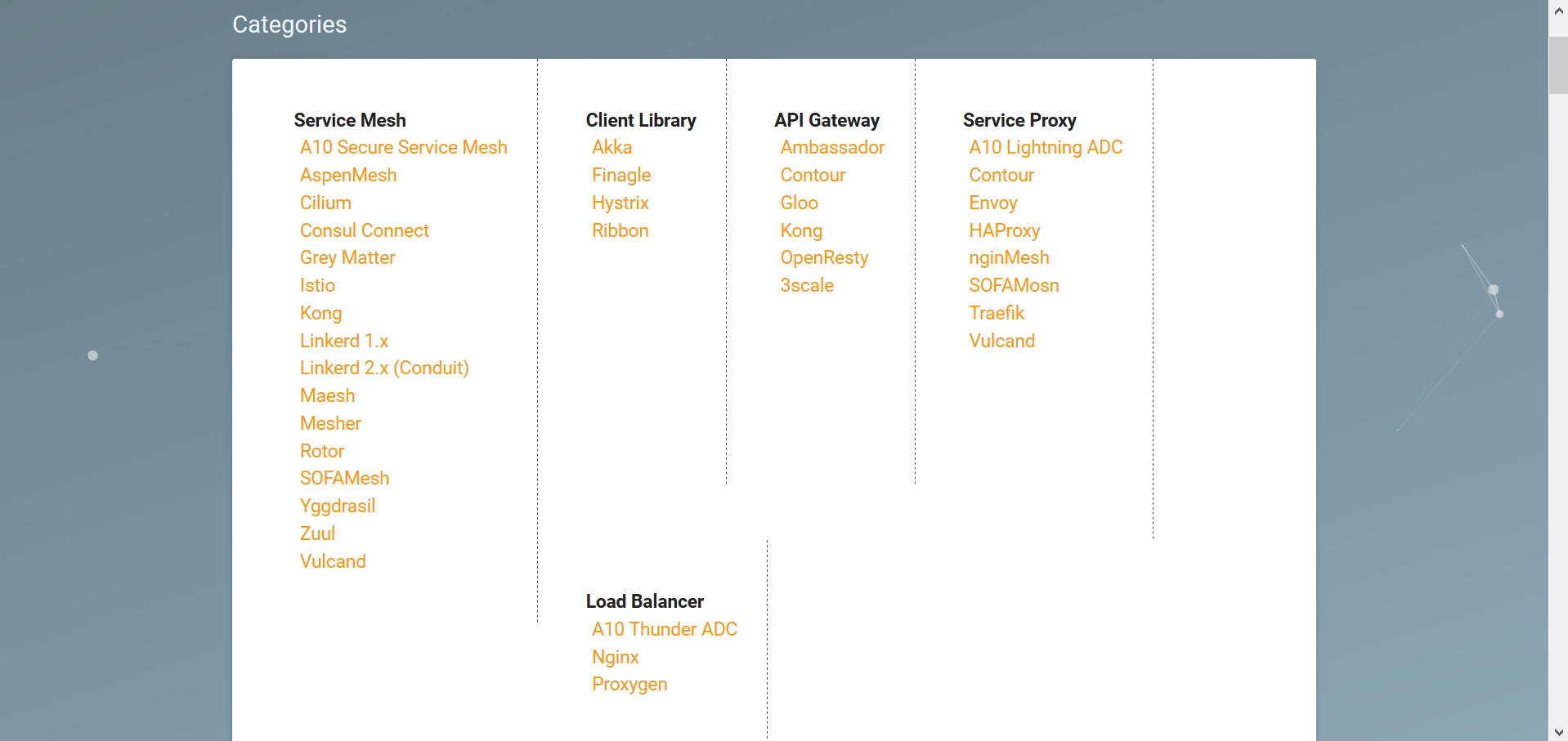
A styling issue with a collection of lists hosted on Layer5's Landscape page.
A styling issue affected a collection of lists hosted on Layer5’s Landscape page.

Of the three GitHub issues I’ve scoped out, the resolution of this styling issue (i.e. tweaking CSS) represents the simplest of tasks that I have lined up—and an ideal candidate for a first-time Hacktoberfest contribution!

As far as I could tell, no open issues concerned the styling problem that I discovered. So, as instructed both Layer5’s website (and encouraged its extremely-welcoming development team), I opened my own issue:

https://github.com/layer5io/layer5/issues/191
Issue – Enhance landscape categories section wrapping (#191)

Identifying a solution

To address this issue, I came up with the idea of realigning the category list items horizontally, transforming the poorly-behaving columns of category ‘cards’ into rows in a responsive and easily-scalable vertical stack.

Implementating this idea proved quite simple, requiring only a few added CSS rules, which I first accomplished by tinkering with the live webpage’s styling (with the help of the Stylish browser extension):

.card .card-content li {
  float: right;
  width: 200px;
}
.card .card-content {
  border-right: unset;
  padding: 0 0 5px 0;
}
.card .card-content:not(:last-child) {
  border-bottom-width: 1px;
  border-bottom-style: dashed;
  border-bottom-color: var(--main-dark-grey);
}

The vertical stack is implemented by the rules in the first selector: list items are floated right and assigned a fixed width, which aligns them neatly. The dashed borders and padding used to separate category lists was also adjusted to accomodate the new design (pictured below):

https://github.com/layer5io/layer5/issues/191#issuecomment-537304508

The above image is one of the two mockups of the redesign that I produced for the consideration of the project’s developers. As luck would have it, Layer5 project lead Lee Calcote provided a lightning-quick response, welcoming a pull request to it!

https://github.com/layer5io/layer5/issues/191#issuecomment-537310179

Future research area: Materialize CSS

I discovered that the ‘cards’ comprising the category section are styled using Materialize CSS. I considered using this framework in my solution, but ultimately decided to opt for a simple, intuitive solution. This framework appears interesting, and would definitely merits research were this a more-involved styling task.

Implementing the solution

While using my browser’s developer tools to tinker with styling, I discovered an inline style tag that serviced the categories section. I determined that this tag would present the best place to add the styling rules that I wrote (following the coding style of a prior contributor).

Finding the location of this style tag (i.e. of the “Service Mesh Landscape” page) in the source code was a lot more trouble than I thought it would be. After paging through too many HTML documents, I gave in and used Visual Studio’s global search functionality to locate it.

Testing the solution

Although I knew that my styling worked well when loaded from a browser extension, before I could contribute code, I needed to ensure that the styling worked equally-well when loaded inline from an HTML document. Little did I know, at that time, what I would be getting myself into…

Ruby, Gems and Jekyll? rvm, bundle and make?

Picking through my ~/.bash_history file, here is the sequence of Bash shell commands that I issued (via WSL Ubuntu) in order to execute a local copy of the layer5 website (annotated for your convenience):

## Install dependency packages ##
sudo apt-get install build-essential
sudo apt-get install software-properties-common

## Install specific version of Ruby via Ruby Version Manager ## 
sudo apt-add-repository -y ppa:rael-gc/rvm
sudo apt-get update
sudo apt-get install rvm
rvm install "ruby-2.6.3" # install specific version of Ruby specified in Layer5's Gemfile
                         # (Yes, it must be that exact version.)

## Configure RubyGems ##
echo 'export GEM_HOME="$HOME/gems"' >> ~/.bashrc
echo 'export PATH="$HOME/gems/bin:$PATH"' >> ~/.bashrc
source ~/.bashrc

## Install Jekyll and dependencies ## 
gem install jekyll bundler
bundle install           # install dependencies listed in Gemfile

## Execute project! ## 
make site                # references Layer5's Makefile
                         # alias for "bundle exec jekyll serve --drafts --livereload"

Stray thoughts on documentation

Reflecting back on the process, a question has stuck with me: how much should projects hold the hands of novice contributors? Setting up the means to run make site is not included within Layer5’s CONTRIBUTING.md file. As such, for the most novice of contributors, like myself (who have never even heard of make before), setting up the prerequisite development environment presented a lengthy and piecemeal (albeit ultimately valuable) learning experience.

How much documentation is too little? Too much? How high should the bar be set for contribution? I suppose it is up to the project’s community to decide upon the answers to these questions themselves (and write documentation, accordingly).

Creating a pull request

After successfully testing and fixing the styling on my local fork, I created a pull request:

https://github.com/layer5io/layer5/pull/192
Pull request – Restyle landscape categories (#192)

…and it got merged! First Hacktoberfest contribution, completed!

Up next!

I ended my last post by stating that I have yet to gain any experience with makefiles. Well, thanks to my work on Layer5, that is no longer true: I have since used a makefile (to launch a Jekyll executable)! This experience will undoubtedly save me some time with resolving the Comcast issue I found! However, the next Hacktoberfest issue I resolve will be the first one I blogged about.

Stay tuned!